Edit Labels
This window allows updating the set of labels associated with a dataset.
If a dataset has only integer values and less than 100 unique values then it can have a textual label associated with each value. The dialog contains the following elements:
User Interface
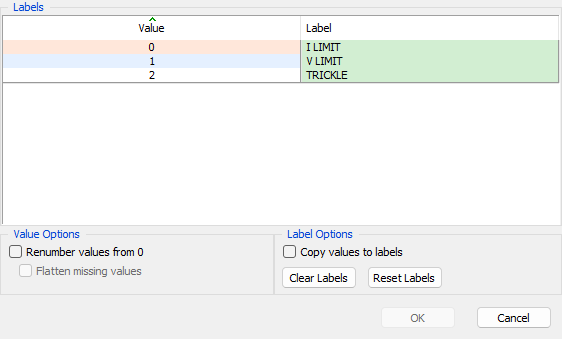
- Table of values - Displays a row for each value to be set with the corresponding label value to be displayed.
- Renumber labels from N - Allows the user to renumber (1 by 1) the list of raw values for the dataset starting from the
BaseLabelOffsetconfiguration value. - Flatten missing values - Allows the user to remove any label values that are not present in the dataset.
- Copy values to labels - Use the raw numeric value as the label value.
- Clear Labels - Empty all labels to create a FLT dataset.
- Reset Labels - Reset labels back to the original values.
- OK - Set the list of labels for the dataset and close the dialog.
- Cancel - Throw away all changes and close the dialog.
Tip
Raw values displayed in green have been changed from their original value
Tip
Raw values which are not present in the dataset are displayed with a pink background
See also the -setlabels and -spreadlabels command line option.