Command Line Window
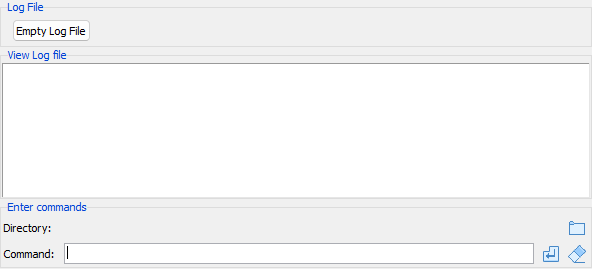
Enter and test command line options
- View Log file - Contains a copy of the current log file contents.
- Enter commands - Try new commands:
- Directory A display of the current directory and a button to change it.
Tip
- The working directory can also be changed using a
set workingdir=directorycommand
- Command A command entry to try out and add new commands one command at a time, with buttons to execute the command and erase the current command.
Tips
- It is not necessary to add the '-' in front of commands
- The up/down arrow keys can be used to recall previous commands.
- Pressing the TAB key will complete commands and dataset names and show possibilities for multiple matches.
- Pasting multiple command lines will execute them one by one, as if read from a PCF file.